Automation & Integration AI
MESA
MESA is a Shopify workflow-automation platform for ecommerce operators who need to connect store events and app actions into repeatable processes without building each integration from scratch. It is designed for no-code ecommerce workflow automation, providing templates and setup help rather than requiring users to start with a blank, generic integration canvas.
- Platforms
- Shopify
 Official videoXero + HubSpot = Synced Data | MESA (No code)Click to play · MESA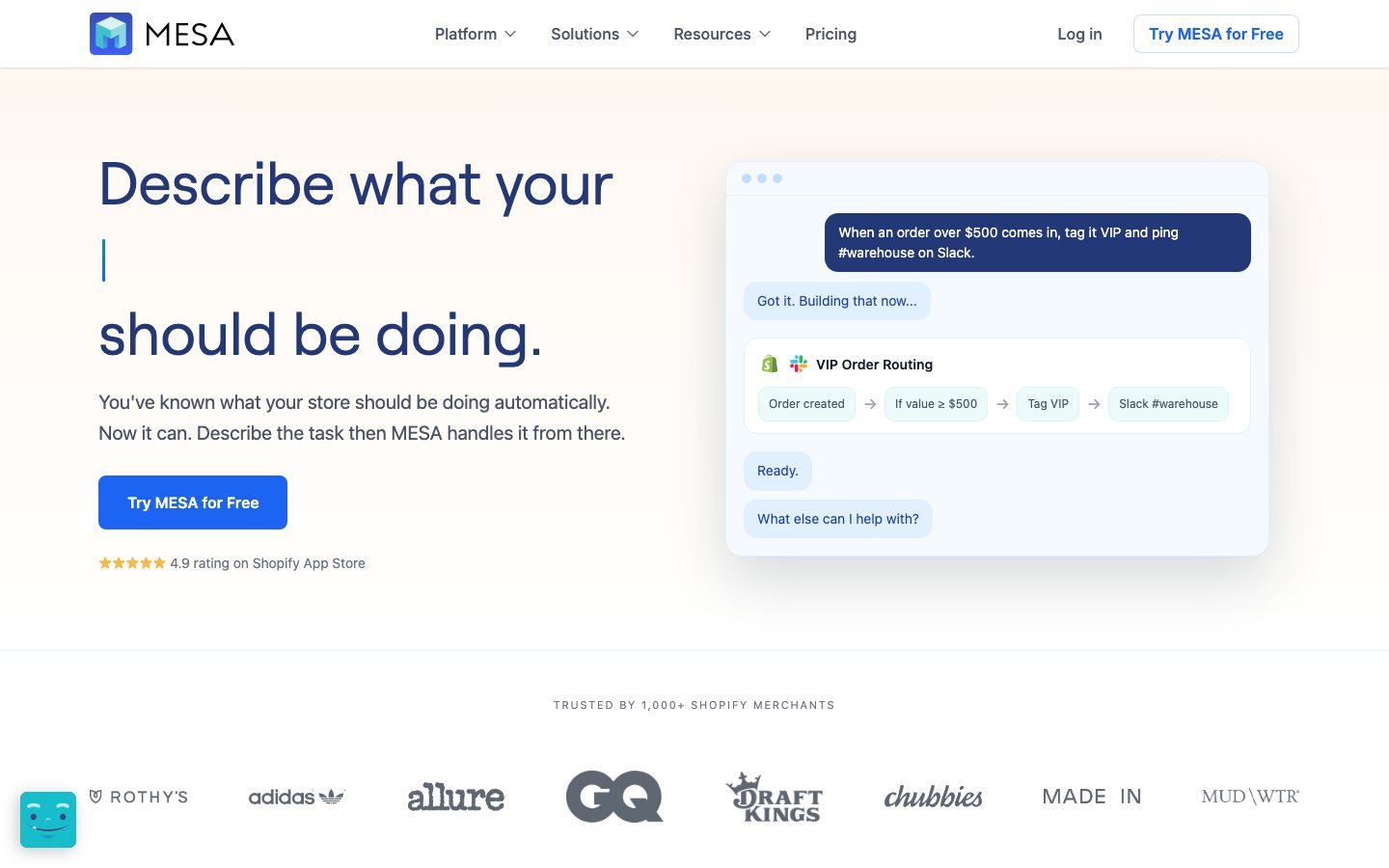
Buying view: It is designed for no-code ecommerce workflow automation, providing templates and setup help rather than requiring users to start with a blank, generic integration canvas. Automations can write into connected systems. Begin with read-only or notification flows, test duplicate-event behavior, and document approval from the responsible owner before enabling customer, order, inventory, or price changes.
Capabilities
MESA lets a Shopify operator automate work by choosing a store or app event, adding no-code steps that read, transform, filter, or route data, and sending approved actions to connected systems. Its biggest advantage is Shopify-focused automation with operational visibility: templates speed up setup, while activity logs expose each task's inputs, outputs, timing, and errors when a workflow needs attention.
What problem it addresses
Shopify operators need store and app events to trigger controlled cross-system actions without maintaining custom integration code for every workflow.
How people use it
Shopify workflow automation. Pre-built templates and unlimited workflows.
The operator selects a trigger, configures conditions and actions, tests the workflow, turns it on, and uses activity logs to inspect each execution.
What each module does and its role
Workflow builder
MESA's builder connects a trigger to conditions and actions for a Shopify operation. Teams can inspect each step and change the automation without treating a template as an uneditable black box.
Workflow templates
Prebuilt templates provide starting structures for common store processes such as order, fulfillment and customer workflows. A merchant still maps store-specific fields and tests the result before enabling it broadly.
App integrations and connectors
Connectors pass data and trigger actions between Shopify and the apps named in MESA's integration catalog. For each intended production workflow, check the connector's direction, authentication, and plan eligibility.
Monitoring, logs and support
Execution history and support tools help operators see whether an automation ran, failed or needs intervention. This operating layer is what lets a team maintain workflows after the initial setup session.
Commercial plans
This table reflects the current public pricing information checked on 2026-09-03. Each row keeps the plan's documented allowances, capabilities and separately priced add-ons together so the tiers can be compared without treating the headline price as the whole offer.
MESA public plans
| Product or sales surface | Scope | Public price and status |
|---|---|---|
| Starter | For trying Shopify automation with a small monthly task allowance. Included plan entitlements
| $0/month |
| Basic | For teams new to automation that need more task capacity. Included plan entitlements
| $12/month |
| Flex | For automating business-critical Shopify operations. Included plan entitlements
| $29/month |
| Pro | For growing businesses with higher task volumes. Included plan entitlements
| $99/month |
Comparable tools: price and workflow
| Tool | Workflow difference | Official public price reference |
|---|---|---|
| Make AI Agents | A team needs a more general builder for multi-app or AI-assisted workflows that extend beyond a single Shopify-native automation layer. More flexibility shifts responsibility for API permissions, data handling, testing, monitoring, and recovery to the team. | $0/month; up to 1,000 credits/month |
| Zapier Agents | A team needs a more general builder for multi-app or AI-assisted workflows that extend beyond a single Shopify-native automation layer. More flexibility shifts responsibility for API permissions, data handling, testing, monitoring, and recovery to the team. | $0 (400 activities/month) |
| n8n AI Agents | A team needs a more general builder for multi-app or AI-assisted workflows that extend beyond a single Shopify-native automation layer. More flexibility shifts responsibility for API permissions, data handling, testing, monitoring, and recovery to the team. | Free software (infrastructure not included) |
| Botpress | The team wants to design or run a custom AI agent rather than select a prebuilt ecommerce workflow. Plan for prompts, tools, knowledge, evaluation, permissions, deployment, and ongoing operator ownership. | $0/month + AI spend |
| Dify | The team wants to design or run a custom AI agent rather than select a prebuilt ecommerce workflow. Plan for prompts, tools, knowledge, evaluation, permissions, deployment, and ongoing operator ownership. | Free |
Frequently asked questions
How does MESA fit into an ecommerce workflow?
A Shopify or app event starts a no-code workflow, configured steps read or transform the needed data, and approved actions run in connected systems.
How is MESA priced?
The public price references shown here are Basic: $12/month; Flex: $29/month.
What is the main MESA boundary to check?
Automations can write into connected systems. Begin with read-only or notification flows, test duplicate-event behavior, and document the responsible owner's approval before enabling customer, order, inventory, or price changes.
Sources
Content checked: